Free trial
Find your creative flow.
$0 to get started
Try the studio before choosing your plan.
- Screen and camera recording
- Explore the editing timeline
- Try Motion Studio
- 5 free exports
A screen recorder built for Apple Silicon and Intel Macs. Native ScreenCaptureKit capture, hardware-accelerated performance, and zero plugins required.
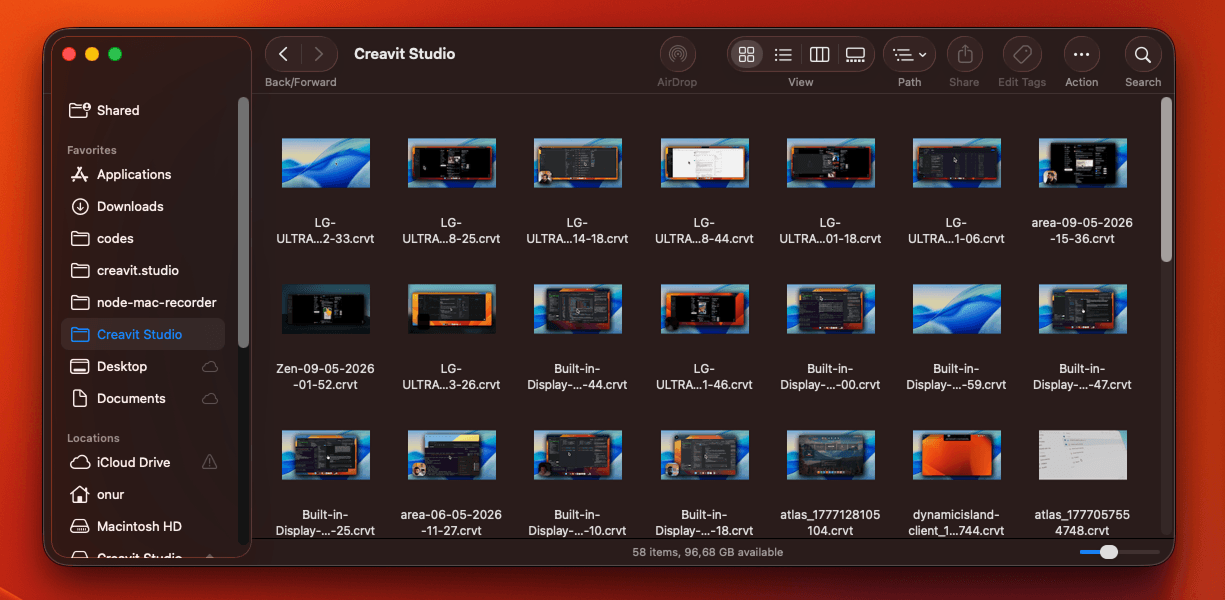
Native recording APIs and deep system integration on every Mac.
Optimized for Apple Silicon and Intel Macs. Hardware-accelerated recording and export with efficient memory usage.
Capture system audio and microphone simultaneously via native ScreenCaptureKit. No third-party audio drivers.
Pixel-perfect recording on all Mac displays — Retina, Pro Display XDR, and external monitors at native resolution.
Remove your webcam background in the editor after recording. No green screen needed.
Set the background to None and export with an alpha channel: ProRes 4444 (.mov) for editing apps, or VP9 (.webm) for the web.
Always accessible from the macOS menu bar. Start recording instantly without interrupting your workflow.
Respects macOS privacy settings. All processing happens locally — no cloud uploads or data collection.
Smoothly zoom the screen toward important UI so viewers follow the story—without jumpy cuts or a separate motion tool. Editable zoom keeps attention on what matters after capture, so tutorials, demos, and launch videos read clearly on a single macOS timeline—no round-trip to another editor for pacing.
Make pointer movement and clicks easy to read on screen captures—ideal for product demos and engineering walkthroughs. Highlight the cursor for training and sales recordings; clearer click feedback means you spend less narration repeating where to look on the interface.
Remove the webcam background in the editor after capture for a clean talking-head cutout on macOS. Creavit Studio skips gimmicky real-time virtual backgrounds while you record. When you are done, strip the backdrop from the camera clip in-editor and ship a crisp subject silhouette in the final export.
Resize and position the webcam against the screen so the layout matches demos, tutorials, or talking-head moments. Switch layout presets and balance camera size with screen real estate—one coherent frame for onboarding clips, changelog videos, and creator content without leaving the recorder.
Add depth and editorial framing so flat UI captures feel closer to polished product marketing—not a raw screen grab. Perspective-style framing helps interface storytelling read intentional: viewers track hierarchy faster, which matters for SaaS launches, changelog videos, and investor-ready demos.
Drop titles, callouts, and code context next to the interface for tutorials, walkthroughs, and product explainers. Deliver context when viewers need it—not after they are lost. Layer readable emphasis for developer content so narration, cursor, and text reinforce the same beat.
Stack graphics, short clips, and supporting visuals wherever the edit needs them—without a separate compositing app. Bring reactions, logos, and motion layers into frame while keeping the screen readable. The result feels closer to branded product video than a flat capture.
Present the recording inside device frames and presentation-ready compositions for social posts and documentation. Wrap the timeline in a consistent mockup language for social and docs so every ship keeps the same professional line—from capture through export on macOS.
Design animated titles, shapes, images, and video clips on a dedicated motion canvas, then bring them into your screen recordings. Build polished animated sequences with layers, transform controls, timelines, and reusable motion templates—without leaving the Creavit Studio workflow.
Start for free. Pay monthly, save with a year, or make it yours for life.
One app for recording, editing, motion, and AI.
Find your creative flow.
Try the studio before choosing your plan.
Monthly Plan
Billed monthly. Cancel anytime.
Best value. Pay yearly and save.
Works out to $4.16/month, billed yearly. Cancel anytime.
Lifetime Plan
One-time payment. Lifetime access, no subscription.
One license. Up to five Macs. 14-day money-back guarantee.
Built for Apple Silicon. Download Creavit Studio and experience recording powered by Apple's native ScreenCaptureKit engine.
Common questions about screen recording on Mac.
Creavit Studio is one of the best screen recorders for Mac, offering 4K recording, AI background removal, camera cursor tracking, and a built-in timeline editor — all in one macOS app.
Yes. Creavit Studio records system audio, microphone, and webcam simultaneously using native ScreenCaptureKit for high-quality audio capture.
Creavit Studio offers a free trial so you can try all features. Paid plans start at $9.90/month or a one-time lifetime purchase.
Creavit Studio is available for Apple Silicon and Intel Macs. Choose the matching build on the download page.