The short answer
The best Mac screen recorder in 2026 depends on the finished video. Creavit Studio is a strong choice for Mac product demos and tutorials that need recording, camera, cursor, zoom, and timeline editing in one app. Choose Screen Studio when automatic visual polish is the priority, OBS Studio for free recording and live streaming, Loom for a shareable team message, ScreenFlow for a more traditional video editing workflow, macOS Screenshot or QuickTime for a quick capture without another download, and Cap for an open-source recorder with local editing and optional sharing.
This comparison is published by Creavit Studio. We reviewed the linked product documentation on September 24, 2026; we have not independently benchmarked all seven apps on identical hardware. The suggestions below are based on documented workflows, not a universal performance score. Features and plan limits can change, so test your finalists with your own Mac and check their current pricing pages before buying.
| If you need... | Start with | Why |
| An edited Mac product demo or tutorial | Creavit Studio | Record and then adjust zoom, cursor, camera, and canvas on a timeline |
| A polished screen clip with little setup | Screen Studio | Automatic click-based zooms and cursor presentation |
| Free recording or live streaming | OBS Studio | Scene mixing, recording, and streaming in an open-source app |
| A fast link for a teammate | Loom | Record a message and share it with a link |
| A traditional Mac video editing workflow | ScreenFlow | Multi-track editing and media production tools |
| A quick recording without installing an app | macOS Screenshot or QuickTime | Built into macOS |
| Open-source local editing with a sharing option | Cap | Studio Mode editor and separate Instant sharing mode |
Creavit Studio: for edited demos and tutorials
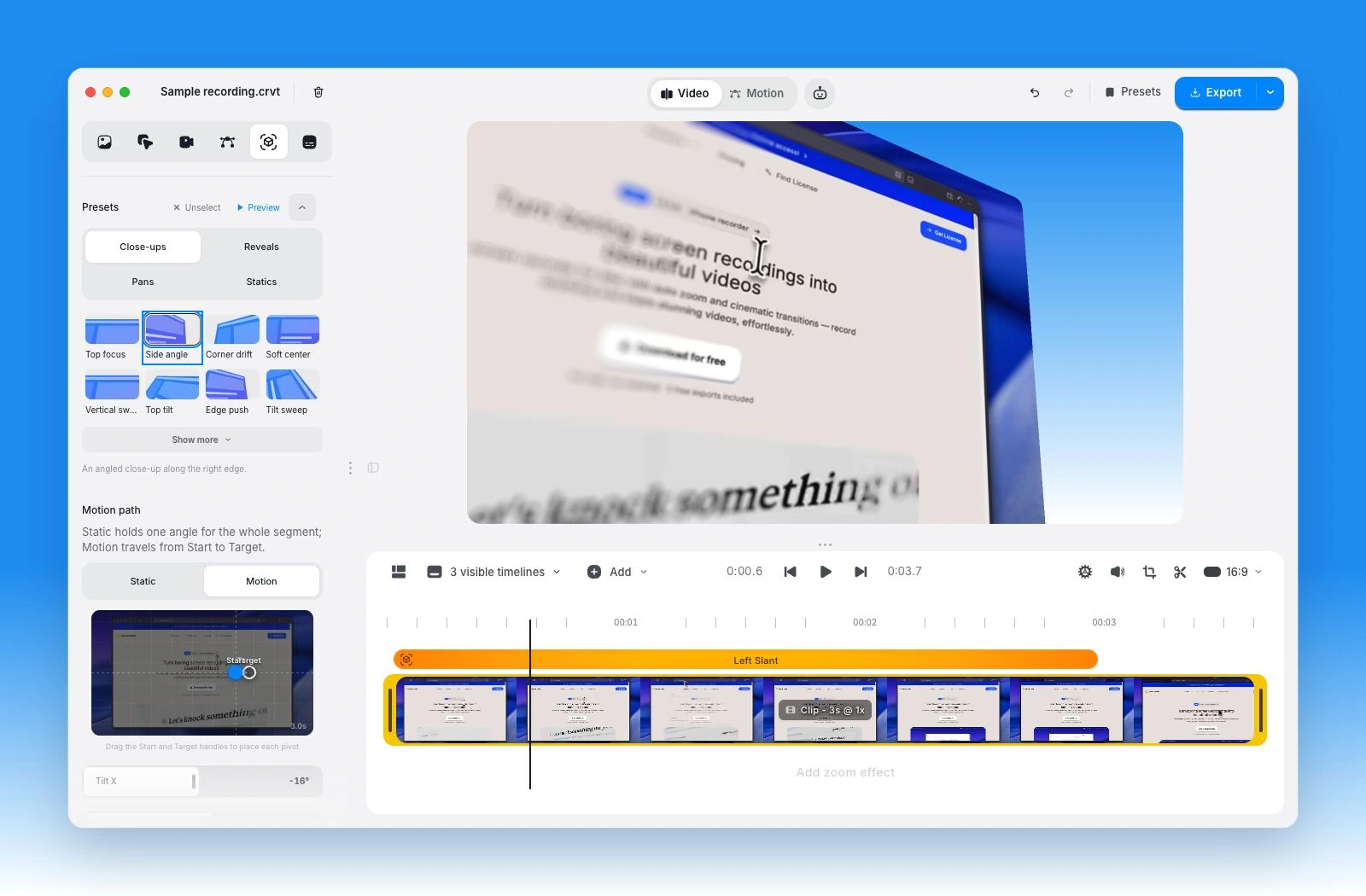
Creavit Studio records a display, window, area, or connected iPhone on Mac. Its editor keeps the recording on a timeline where you can trim, adjust click-aware zooms and cursor styling, place camera and media layers, remove a camera background, and export a finished video. That is useful when the recording needs to become a designed product walkthrough, lesson, or launch clip rather than remain a raw capture. See the recording and editing details and Mac download options.
Choose it when: you want to revise the visual explanation after recording, including framing, camera layout, captions, and overlays. The product demo guide shows the workflow step by step.
Check before choosing: it is a macOS desktop app. The trial includes five free exports; unlimited exports require a paid plan. Capture and editing work locally, while sharing the exported file is a separate decision. If an instant hosted viewing link is central to your workflow, compare Loom or Cap's Instant Mode.
Screen Studio: for automatic visual polish
Screen Studio focuses on making Mac recordings look polished quickly. Its auto zoom documentation explains how click positions can drive zooms and how you can replace them with manual zooms. It also provides a timeline for adjusting those effects.
Choose it when: your main goal is a clear, attractive screen clip with automatic motion. Check before choosing: compare the controls you need for longer edits, camera treatment, and export. See our workflow comparison.
OBS Studio: for free recording and live production
OBS Studio is free, open-source software for video recording and live streaming. Its scenes, sources, and audio mixer are especially useful when you want to compose inputs before or during capture. OBS also has recording-specific output settings.
Choose it when: price, live streaming, or live scene control matters most. Check before choosing: plan where you will edit the finished recording. OBS's scene workflow is different from a post-recording video timeline. See our Creavit and OBS comparison.
Loom: for a message you can share immediately
Loom is built around recording a screen and camera message, then sharing a link. It also has video editing tools; their availability depends on the plan and rollout.
Choose it when: a teammate needs to watch and respond quickly. Check before choosing: current recording limits, editing access, and viewer permissions. If the output is a polished public demo, compare the editing workflow too. See our Creavit and Loom comparison.
ScreenFlow: for a traditional video edit
ScreenFlow combines Mac screen recording with a video editing timeline, media layers, titles, and production controls. Telestream's ScreenFlow guide documents the recording and editing workflow.
Choose it when: you expect a multi-track editing project with varied source media. Check before choosing: the current macOS requirements, paid version, and how much of your work is screen-specific styling versus broader video editing. See our Creavit and ScreenFlow comparison.
macOS Screenshot and QuickTime: for a quick capture
Apple's Mac screen recording guide explains the built-in Screenshot toolbar (Shift-Command-5) and QuickTime's New Screen Recording command. On many Macs, QuickTime opens the same Screenshot controls. Recording options, including system audio, depend on the macOS version.
Choose them when: you need a one-off clip without installing another app. Check before choosing: if you need camera composition, editable zooms, or a designed canvas afterward, allow time for an editor. Our Mac recording guide covers the built-in path.
Cap: for open-source recording and optional sharing
Cap offers distinct workflows. Its Studio Mode records locally and opens an editable project with a timeline, canvas tools, automatic zoom, cursor effects, and captions. Instant Mode is aimed at a ready-to-share cloud link. Cap's editing feature set is substantial, so compare the actual mode you will use rather than treating it as a basic recorder.
Choose it when: open-source availability or the choice between local editing and quick hosted sharing matters. Check before choosing: the current license and hosted plan terms, plus how each recording mode stores your work. See our Creavit and Cap comparison.
How to choose with a real recording
Record the same 30-second task in your two finalists: open a menu, show a result, narrate one step, and deliberately make a mistake to edit out. Then check:
- Capture: can you select the screen, microphone, system audio, and camera sources you need?
- Edit: can you fix the mistake and make small interface text readable at the final size?
- Share: do you need a hosted link now, an exported file, or an editable project for later?
- Cost: does the current plan include your required export quality, duration, and sharing options?
For a simple clip, start with the built-in recorder. For live production, start with OBS. For team messages, try Loom. If a Mac recording needs to become a carefully edited tutorial or product demo, try Creavit Studio alongside Screen Studio, ScreenFlow, and Cap, then choose the result that fits your workflow.